For consultants who bill by the hour
Stop rebuilding your invoice from memory
Track your work across apps. Bill the right client.
1,000+ Mac users · No account needed
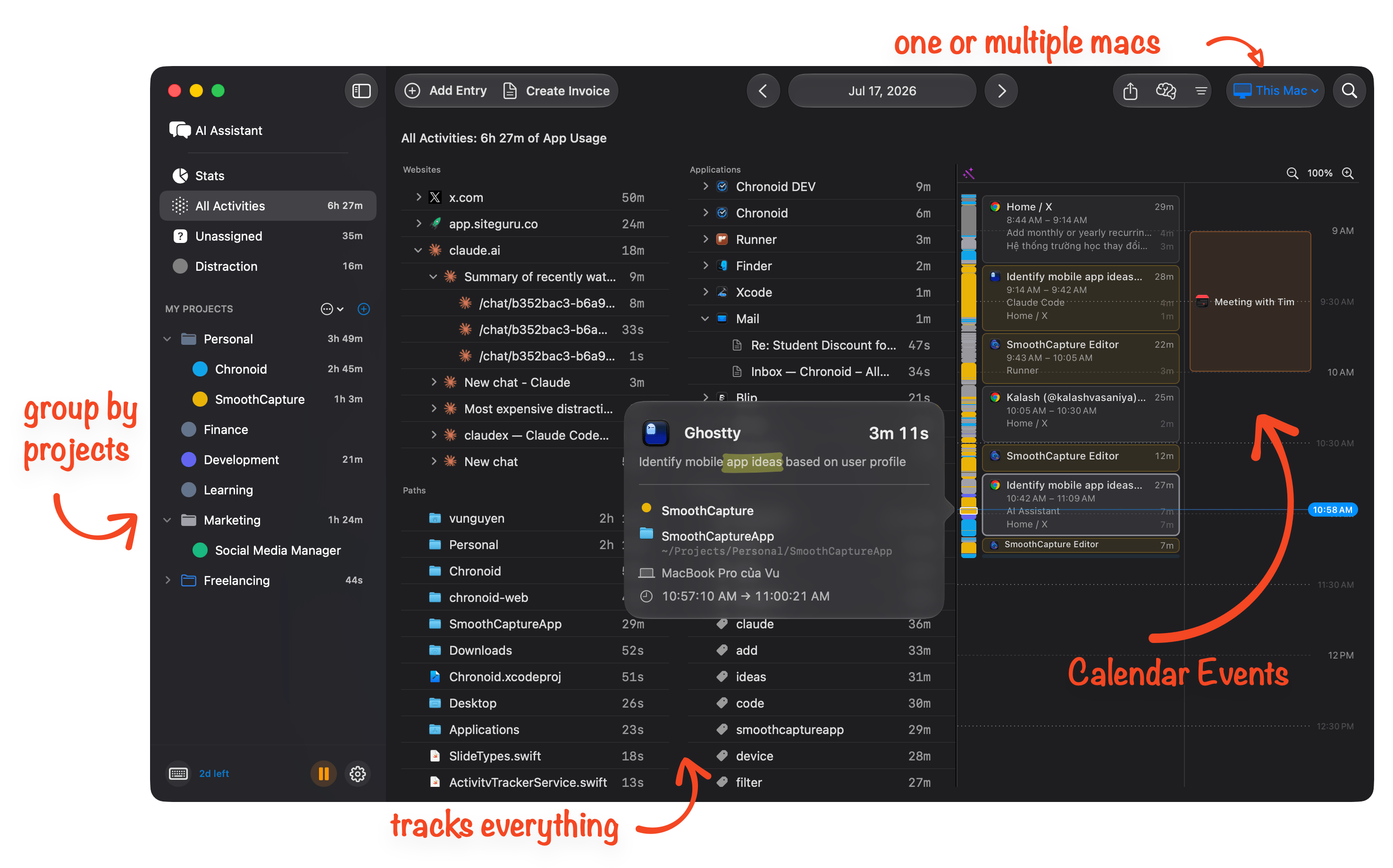
Automatic project tracking, no timers to manage
Chronoid captures every app, website, and document you work on, automatically assigned to client projects. No more forgetting to start timers or losing billable hours.
- Tracks apps, websites, and documents
- Detects when you're idle or away
- Zero setup required
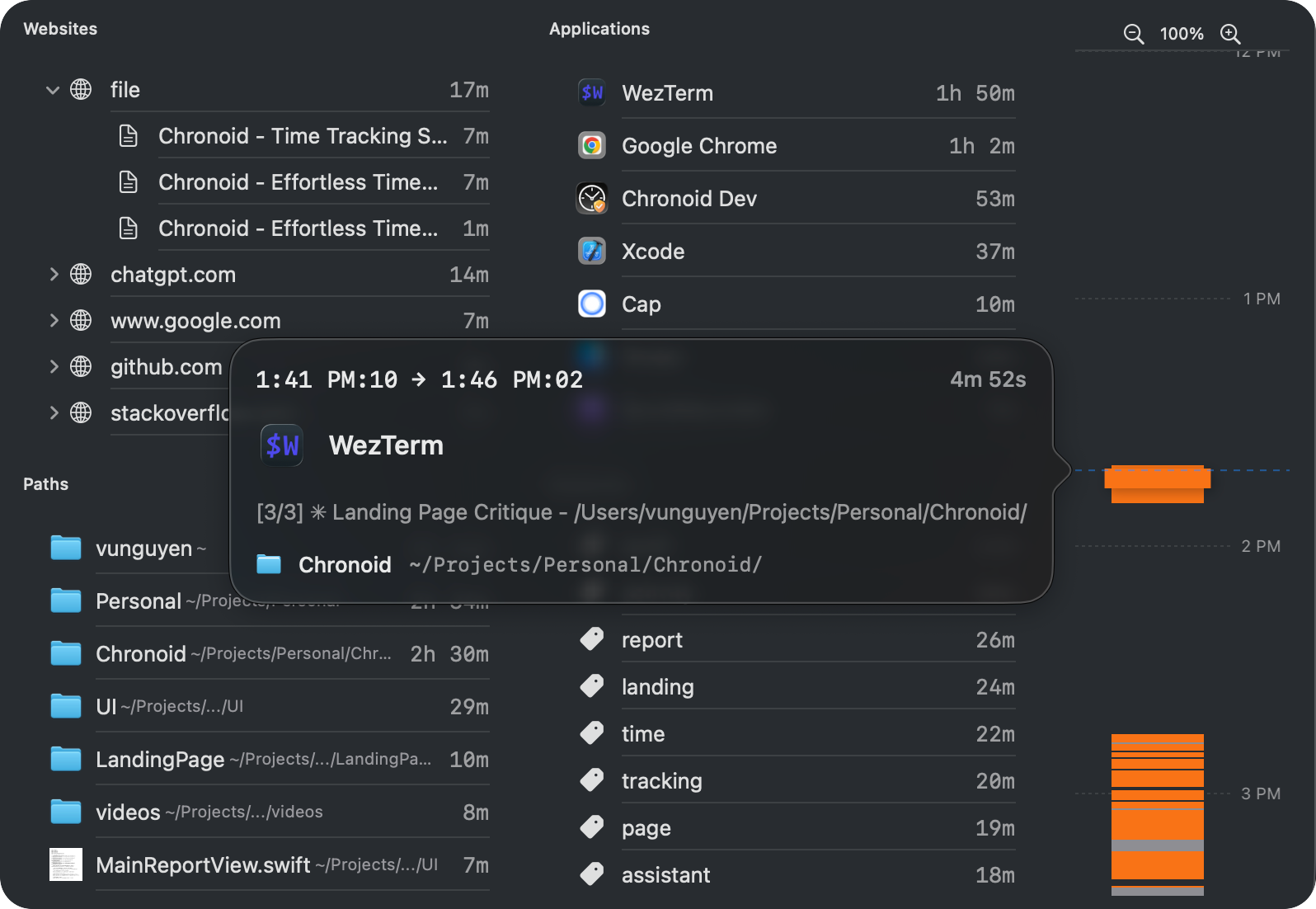
Ask questions about your billable hours
Chat with your time data to get answers. Ask "How many hours did I spend on Client X this month?" or "What was I working on last Tuesday?" — useful for filling timesheets or preparing invoices. Chronoid also ships a local MCP server, so you can ask the same questions from Claude Code, Claude Desktop, or Cursor without leaving the terminal. Run it on local AI and your time data stays on your Mac.
- Ask anything, in the app or from your agent
- Local AI with Ollama, LM Studio, or Apple Intelligence, cloud optional
- Private the MCP server runs on your Mac, not ours
Send invoices you never have to second-guess
When the invoice is due, your hours are already there. Set your hourly rate once and Chronoid works out what to charge each client from the hours you actually worked. Filter by client and date range, review the breakdown, and export a PDF report — instead of reconstructing your month from memory.
- Filter hours by client, project, or date range
- Export PDF reports ready to attach to invoices
- Recover billable time you would have forgotten
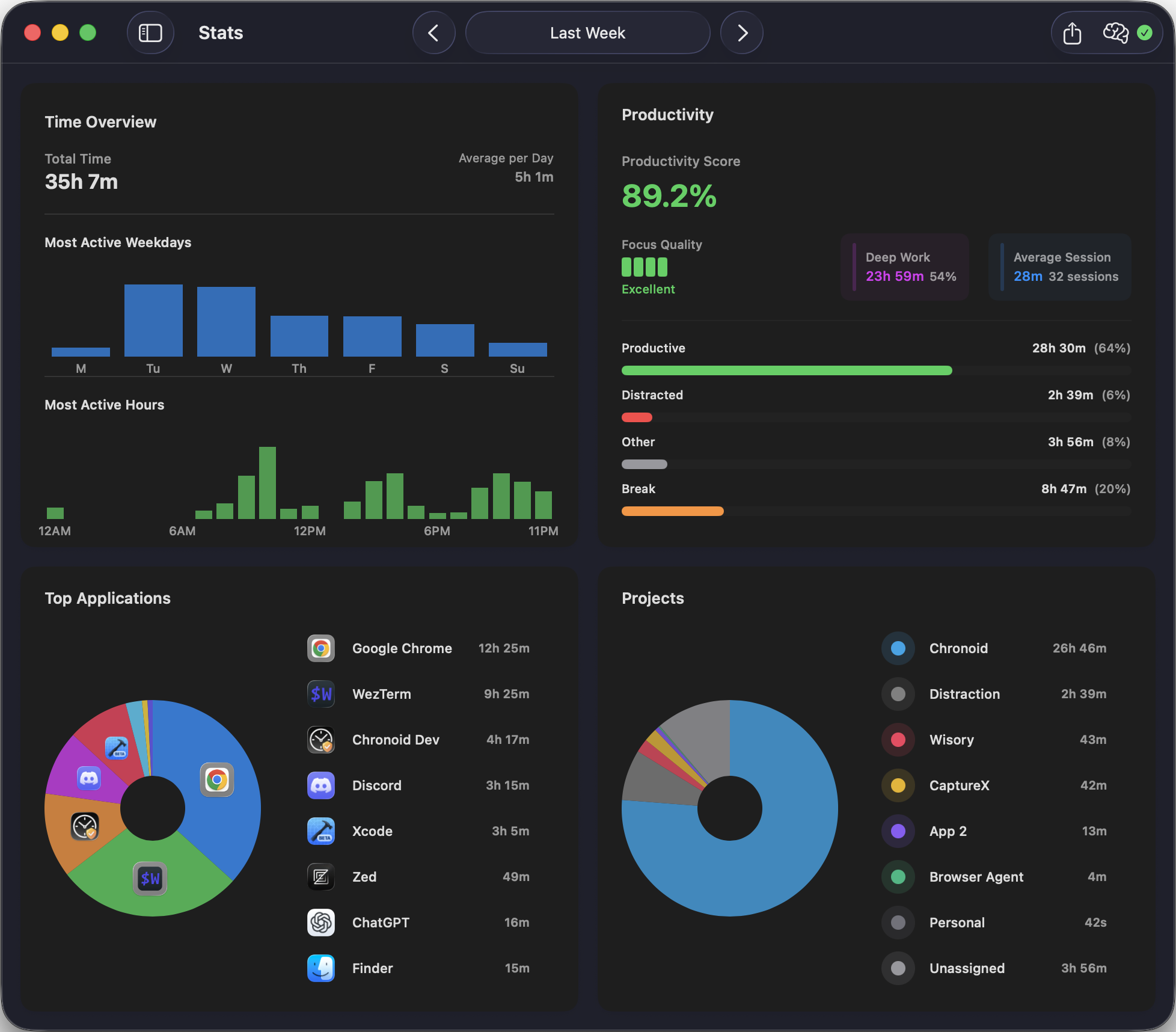
See where your billable time goes
Visual breakdowns by client, project, and day. See how your hours are distributed so you can price projects accurately and find your most profitable work.
- Know your most productive days, hours
- Understand your productivity throughout the day
- Top apps and projects
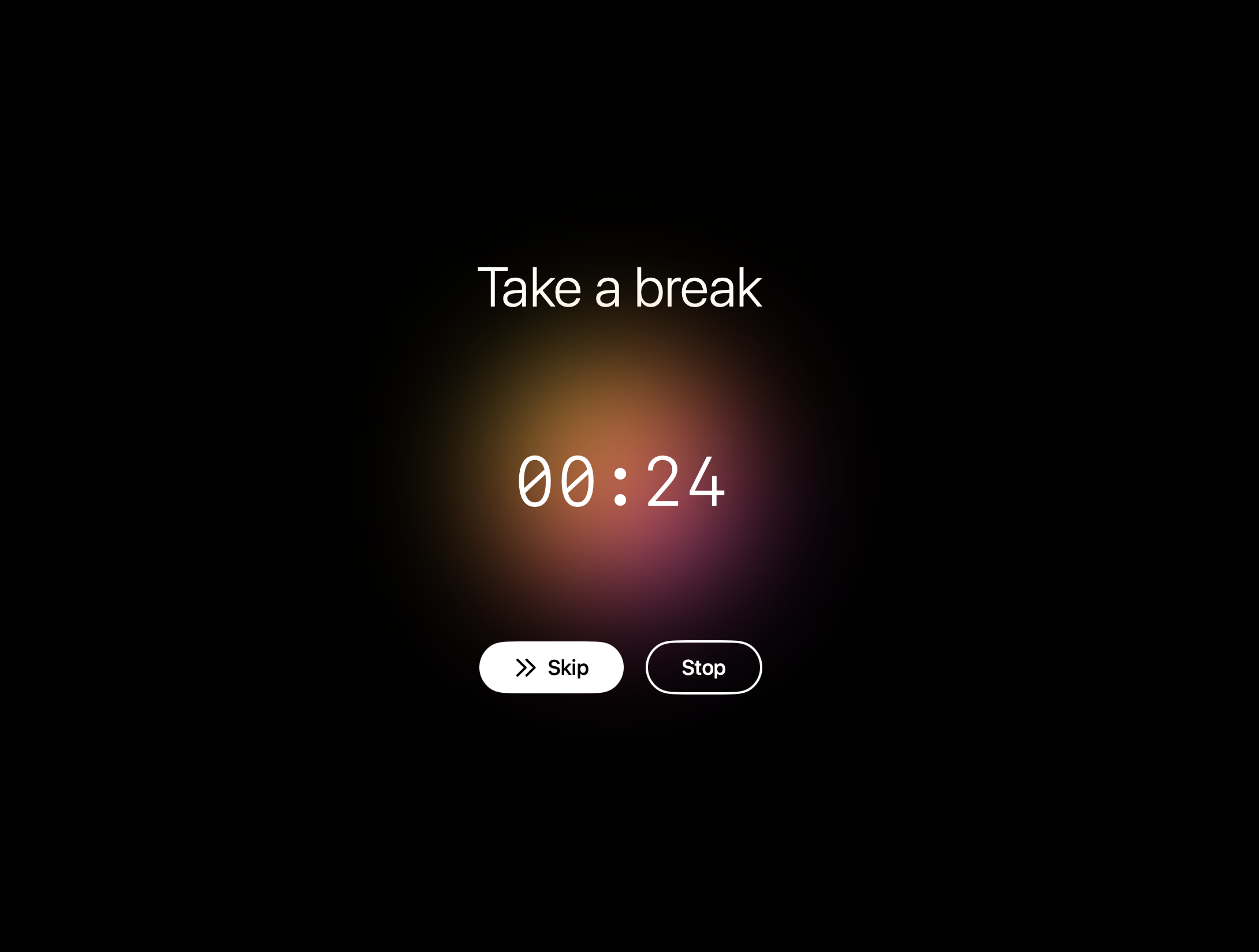
Stay focused during client work
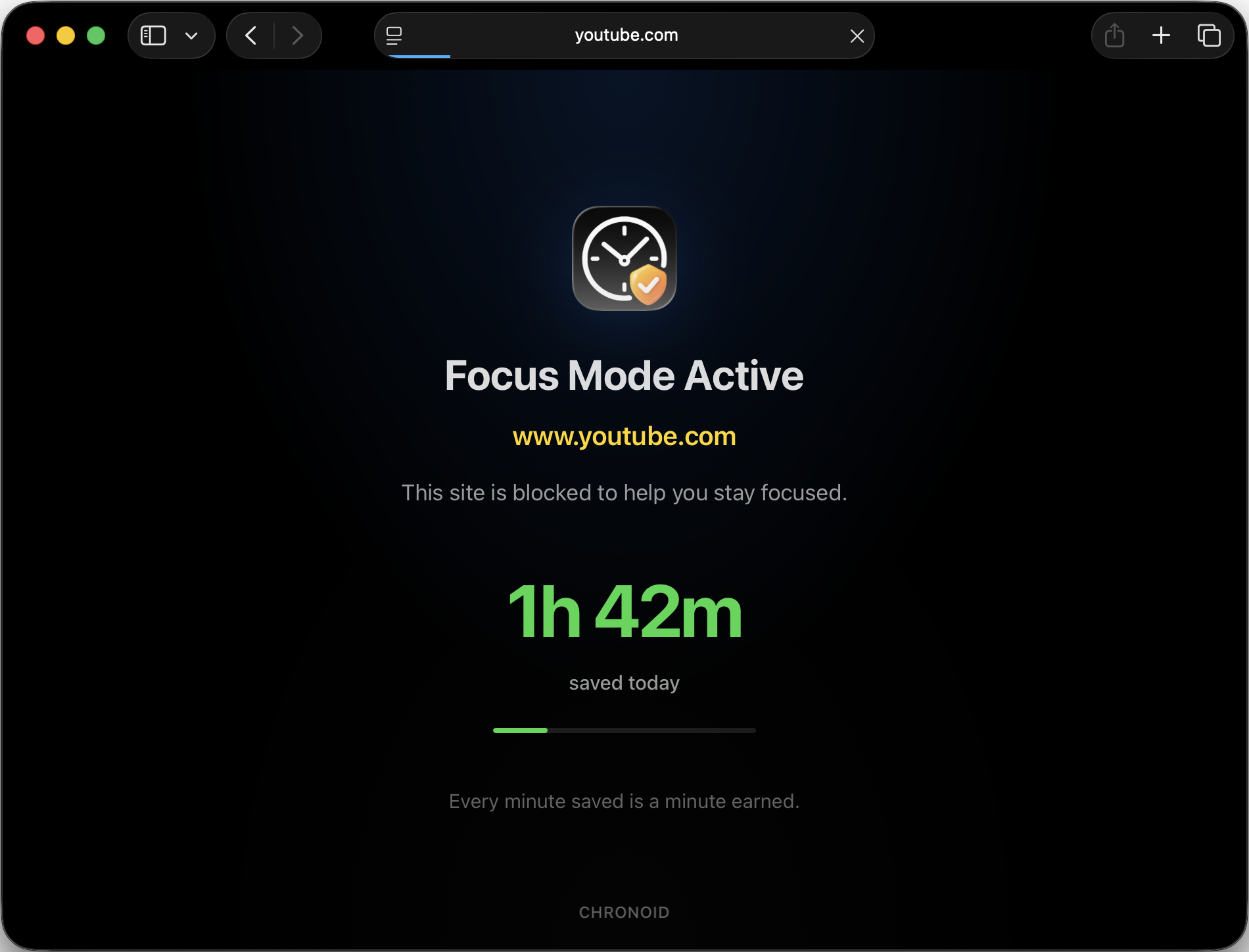
Block distracting websites when you're on the clock for a client. Built-in Pomodoro timer and website blocker help you get work done without getting sidetracked.
- Block websites on demand
- Scheduled focus sessions
- Pomodoro technique to maximize focus
Track time in any Mac app
Chronoid automatically tracks all your apps
















... and hundreds more. Chronoid tracks any app automatically.
Everything Chronoid does, in one app
Tracking, invoicing, analytics, and focus tools in a single Mac app — every feature below is included, with nothing to bolt on.
- Automatic time trackingEvery app, site, and document captured — no timers
- Invoicing & reportsTurn tracked hours into PDF invoices in one click
- AI insightsAsk your time data anything, answered locally
- Smart rulesActivities auto-assigned to the right client project
- Dashboard & analyticsSee your most profitable projects and hours
- Project managementOrganize clients and projects hierarchically
- Pomodoro timerFocus sprints that track themselves
- Website blockerBlock distractions during deep work
- Idle detectionAway time never pollutes your billable hours
- Scheduled trackingTracking pauses outside your work hours
- Screen Time importiPhone and iPad sessions in your timeline
- Task integrationsClickUp, monday.com and Linear tasks in your entries
- Shortcuts & automationHotkeys, Siri, and Shortcuts integration
- Privacy & local-firstYour data never leaves your Mac
- Menu bar controlsEverything one click away, always
Built for freelancers who bill by the hour
Whether you're a solo consultant or running a small agency, Chronoid makes sure every billable minute is accounted for
Freelancers
Auto-track by client & project. Generate accurate invoices. Understand your profitability.
Creatives & Agencies
See time across Figma, Photoshop, Premiere and more. Know which projects are profitable.
Remote Workers
Stay focused with Pomodoro timer and website blocker. See where your workday actually goes.
Guides for tracking time on a Mac
Honest comparisons and how-tos from the team behind Chronoid
Best time tracking apps for Mac
9 apps compared, with prices checked this year
Automatic time tracking software
How passive tracking works and which tools do it
Best Pomodoro apps for Mac
7 focus timers tested, including free picks
Time tracking and invoicing software
Turn tracked hours into invoices without the guesswork
How to track billable hours
A simple system for freelancers who bill by the hour
Best Mac apps for productivity
12 apps worth installing on a new Mac
Capture every billable minute
Download Chronoid and start tracking automatically in minutes.
Download Free TrialNo account needed · macOS 14+
Trusted by freelancers and consultants
“Chronoid is a great piece of software, I am very happy with it after moving over from Qbserve, which I used for years. Chronoid is simpler and faster when it comes to retrieving stats. Rules are easy to configure, and once they are in place I can let the app do its work while I focus on what matters: the actual job. No-brainer. Efficient. Fast. Easy to implement. Great UI.”

“I work as a freelance consultant, switching between different projects, at times on an hourly basis. I've tried many time-tracking apps, but few as thoughtfully made as this. I can actually see myself using something like this long-term.”
“Most apps I've tested are either too heavy, too abstract, or bury the actual time-breakdown behind clutter. Chronoid shows the timeline in a clean, direct way — when I worked, what app I used, how long each block lasted — exactly the type of visibility I need.”
“Just downloaded and did some first tests. Looks and feels amazing! Especially the nuance of having keywords, which is really useful in comparison to other apps, instead of only seeing activity on app-level. Currently really enjoying the app. Keep it up!”
“I'm a freelance business owner juggling multiple projects and clients every day, and it's easy to lose track of where I spent my time. Chronoid has been incredible in tracking and logging in the background, with very little manual work to assign tasks to projects. It's really helpful to assess how long a project takes, accurately bill clients for hourly work, and see how much time I waste going down YouTube and Reddit rabbit holes. I like that it's a one-time purchase instead of a monthly subscription fee.”
“I was part of your prior round of free codes. I really love this App. I use it everyday and go back through my day to capture billable time I missed.”
“I honestly really like this app and see tons of value from using it on the daily. I'm genuinely happy this app exists. The dev seems like a really genuine person with proper human responses to various kinds of comments so it makes it even easier to support this app!”
“Paid for this app a little more than a month ago thanks to a student discount the dev was offering on here. Have it running in the background at all times. It's great for tracking how much time I spend on Reddit when I should be in lecture!”
“This is the greatest time tracking application I've tried. Bring your own key, one time payment, nice analytics, great design, and it breaks everything down in a really helpful manner. I couldn't think of a feature when I was first using it that I would suggest that it doesn't already have.”
“Chronoid is a one-time purchase. Been using it for 4+ months and the dev has been very responsive to feedback.”
“I love how clean the dashboard looks! I've tried out tons of time tracking apps, but most of them are either a pain to customize or heavy on CPU. The drag and drop is a useful feature that the other apps never had.”

Why I built Chronoid
I've been a developer and freelancer on a Mac for more than ten years, and for most of that time I lost money the same way every month: I'd drop into focus mode, forget to start a timer, and then guess my hours when the invoice was due. The under-billing was real.
I built Chronoid to make automatic time tracking private, useful, and affordable. Buying your software outright should remain an option. We offer subscriptions to support continued development, alongside a lifetime license for people who prefer to pay once. If you already own Chronoid, your purchased benefits and lifetime updates stay yours.
A user recently told me: “Chronoid saved my butt during invoicing. No more guessing hours.” That's why I keep building it.
More apps by the same maker
Other Mac apps I make
Small, native Mac apps I build and support myself. Three of them are free.

SmoothCapture
Free to try · pay once from $49
Turn a screen recording into a product video: auto zoom, captions and titles, filmed on real 3D devices.
smoothcapture.app
ShotShot
Free
Capture any window, combine screenshots on one canvas, annotate and export. No account, no subscription.
shotshot.app
Squish
Free · open source
Make images and videos up to 90% smaller with the best encoders available, without uploading a thing.
squish.madebyvu.com
Lights Out
Free · open source
Keeps your Mac awake and unlocked for AI agents and automation while the screen stays dark.
lightsout.madebyvu.com