Prove Your Productivity, Protect Your Privacy
Time tracking designed for remote workers who want insight into their real work habits without invasive surveillance. Everything stays on your device — there is nothing for anyone else to see.
No screenshots · No keystrokes · No employer dashboard
The problem
The Remote Work Productivity Challenge
“When home is the office, it's hard to know when work ends and personal time begins. I'm probably working more hours than I realize.”
Work-life balance blur
“My manager can't see me working. I need a way to demonstrate my contributions — without installing surveillance software.”
Proving productivity remotely
“Social media, household tasks, and personal devices all compete for my attention. Hours disappear without me noticing.”
Home distractions
“Without a commute or office rituals, starting and stopping work is fluid. It's a straight path to burnout.”
No clear boundaries
The fix
Built for Remote Workers Who Value Privacy
Chronoid gives you the productivity insights you need without compromising your privacy or feeling like you're being watched.
Automatic tracking — privacy-first by design
Chronoid runs silently in the background, tracking which apps and documents you use. No manual timers, no screenshots, no screen recordings — and every byte stays on your Mac. It's insight for you, not surveillance for someone else.
- No screenshots or screen recordings, ever
- Tracks apps and window titles, not keystrokes
- Data stored only on your device — works fully offline
See your real work hours
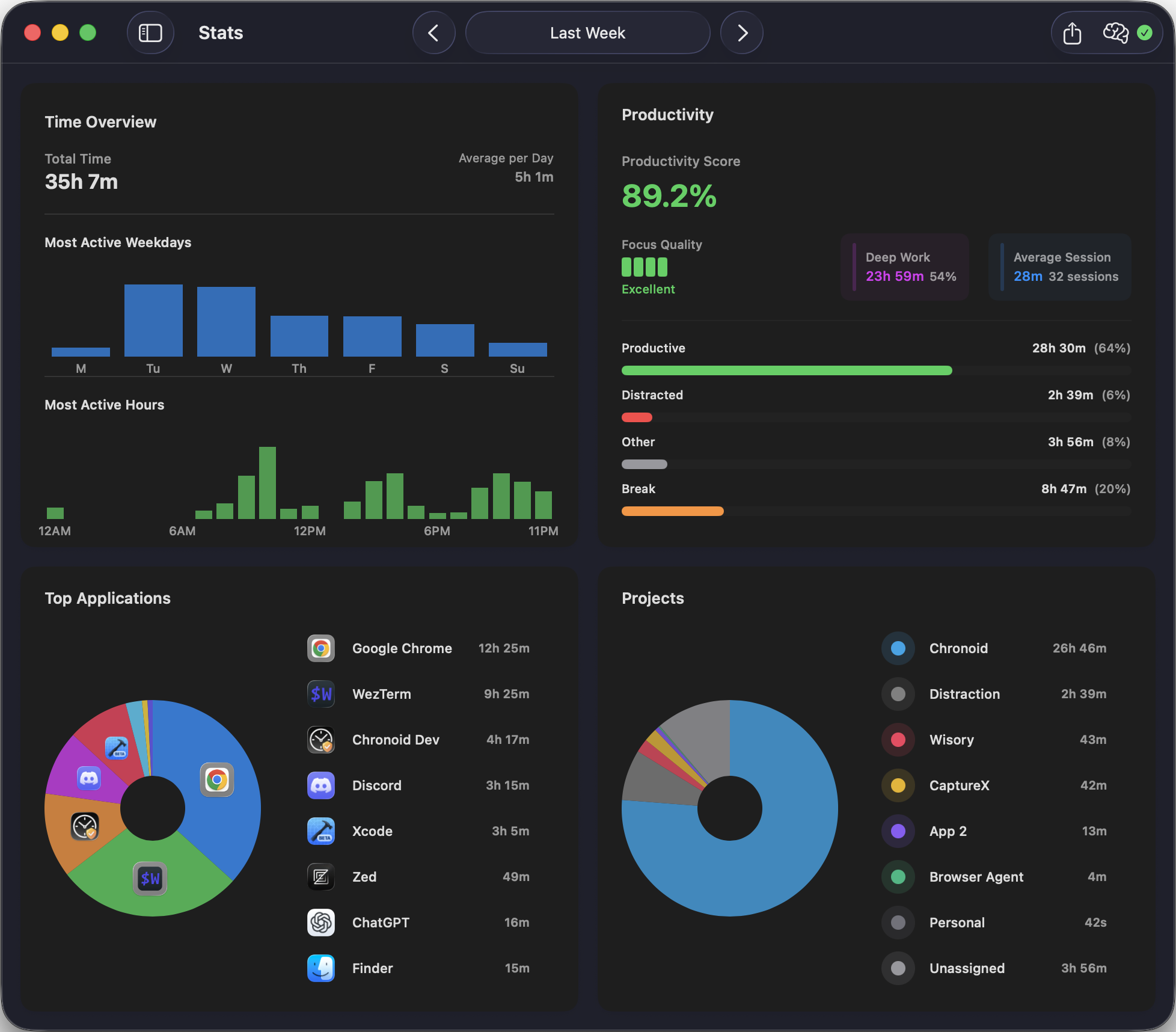
Understand your actual work patterns. See when you're most productive, how many hours you're really working, and where your time goes each day — so you can set boundaries before burnout sets them for you.
- Daily and weekly work summaries
- Peak productivity hour analysis
- App usage breakdown
Stay focused when home competes for attention
Block distracting websites and use the built-in Pomodoro timer to protect deep work sessions. Break reminders help you step away on purpose instead of drifting away by accident.
- Website blocker for distractions
- Built-in Pomodoro timer
- Break reminders to prevent burnout
Share only what you choose
Your data stays local by default, but you can export a report for standups or performance reviews whenever it helps you. You decide what to share and when — nothing is reported automatically to anyone.
- Export summaries for standups and reviews
- You control the date range and detail level
- Delete your data anytime — it is only on your Mac
Demo video coming soon
Record: open Reports, pick 'This week', show the daily hours summary a remote worker could paste into a standup update, then export it — emphasizing that sharing is a deliberate action, not automatic.
Frequently Asked Questions
How is Chronoid different from employee monitoring software?
Unlike employee monitoring tools that take screenshots, record keystrokes, or send data to managers, Chronoid is a personal productivity tool. It tracks which apps you use and stores everything locally on your Mac. There are no screenshots, no keystroke logging, and no data sent to anyone else. You're in complete control.
Can I share my productivity data with my manager if I want to?
Yes! While your data stays local by default, you can export reports to share during standups or performance reviews. This gives you control over what you share and when, rather than having your activity automatically reported to others.
Will Chronoid help me maintain work-life boundaries?
Absolutely. By seeing exactly when you start and stop working, you can identify patterns like working too late or not taking enough breaks. The insights help you set healthier boundaries and avoid remote work burnout.
Does it work when I'm offline or traveling?
Yes! Since all data is stored locally on your Mac, Chronoid works perfectly without an internet connection. Track your productivity from anywhere – coffee shops, airports, or places with unreliable WiFi. No cloud dependency means no interruptions.
Everything Chronoid does for remote workers
Take control of your remote work productivity
Join thousands of remote workers who track their productivity without sacrificing privacy. Try Chronoid free for 7 days.