Code Without Interruption. Track Time Automatically.
Stop breaking your flow state to start a timer. Chronoid runs silently on your Mac, tracking your IDE, terminal, and browser activity so you can focus on shipping code, not logging hours.
No plugins, no extensions, no account · macOS 14+
The problem
Sound Familiar?
These time tracking headaches cost developers hours of productive coding every week.
“I'm deep in a debugging session, finally holding the entire call stack in my head — and then I remember the timer. Alt-tabbing shatters focus it took 20 minutes to build.”
Context switching kills flow state
“‘What did I work on yesterday?’ I scramble through git logs and Slack messages trying to reconstruct my day.”
Standups become guessing games
“Three repos, a docs site, and Stack Overflow in a single afternoon. No way to know which project ate my week.”
No visibility across repos and projects
“Friday afternoon, staring at a blank timesheet trying to remember Tuesday. I submit something that's more fiction than fact.”
End-of-week timesheet guesswork
The fix
Built for How Developers Actually Work
Chronoid tracks your tools, organizes by project, and gives you the data you need without ever interrupting your coding.
Automatic IDE & terminal tracking
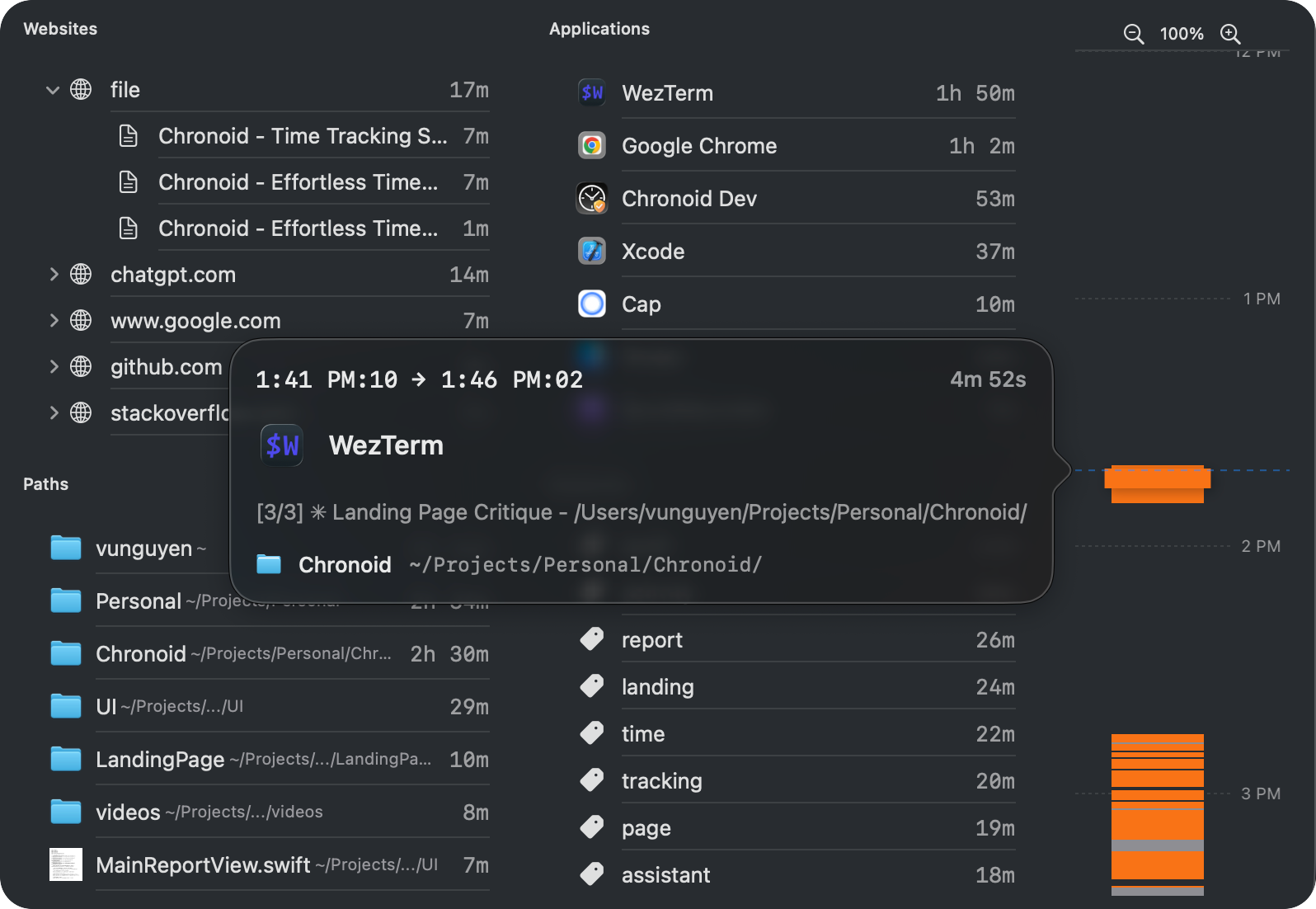
Chronoid detects when you're in VS Code, Xcode, IntelliJ, Terminal, iTerm, or any other dev tool. It reads the foreground window title — no plugins or extensions needed — and folder rules sort each session into the right project.
- Works with any IDE or editor
- Tracks terminal and CLI usage
- Zero configuration required
Project assignment by repo & folder
Set up rules to automatically assign time based on the repo or folder you're working in. Time spent in ~/projects/api-service goes to the right project without lifting a finger.
- Folder-based auto-assignment
- Multi-project support
- Bulk time reassignment
AI chat for quick time queries
Ask questions about your time in plain English. "How many hours did I spend on the API refactor this sprint?" or "What was my most productive day last week?" Get instant answers.
- Natural language queries
- Sprint and weekly summaries
- Productivity pattern insights
Reports for standups & sprints
Generate detailed time breakdowns by project, date range, or activity. Walk into standup with actual data instead of hazy recollections. Export reports for sprint reviews and client billing.
- CSV and PDF exports
- Per-project time breakdown
- Custom date ranges
Demo video coming soon
Record: open Reports, filter to one repo-based project and 'This week', show the per-day breakdown a developer would read out at standup, then export CSV — under 30 seconds.
Why Developers Choose Chronoid
100%
Local & Private
$59-149
Lifetime option
7 days
Free trial, no card
Frequently Asked Questions
Does Chronoid track what I type or take screenshots?
No. Chronoid only records which application is in the foreground and the window title. It never captures keystrokes, screenshots, or screen content. All data is stored locally on your Mac and never leaves your machine. No employer or third party can access it.
How does project assignment by folder work?
You create rules that match window titles or file paths to projects. For example, any activity where the window title contains "my-api-repo" can automatically be assigned to your "API Service" project. You can also bulk-assign unassigned time after the fact.
Will it slow down my Mac or interfere with my dev tools?
Chronoid is a lightweight native macOS app that uses minimal CPU and memory. It runs in the menu bar and doesn't install any IDE plugins, browser extensions, or kernel extensions. It won't interfere with your build tools, debuggers, or anything else.
Can I use it for both personal projects and client work?
Absolutely. Create as many projects as you need. Use auto-assignment rules to automatically categorize time for different clients, side projects, or open-source work. Export per-project reports for client billing or just track your own productivity.
Everything Chronoid does for developers
Ship code, not timesheets
Try Chronoid free for 7 days. No credit card required. Automatic time tracking that stays out of your way.