
Think of a Mac time tracking app less like a stopwatch and more like a smart assistant for your workday. It works in the background, logging what you do, and showing you exactly where your hours are really going. This kind of clarity helps freelancers, teams, and anyone who works on a computer to stop guessing, get more focused, and make better decisions based on actual data.
Why Your Mac Needs a Dedicated Time Tracking App
Let's face it: generic timers and spreadsheets are a pain. Trying to log your hours manually is not only tedious but also full of mistakes. It just doesn't capture the reality of a modern workday.
You might block out three hours for a big project, but was that really three hours of deep work? Or was it closer to two hours, with the rest eaten up by emails, quick meetings, and other small interruptions? Without good data, you're just flying blind.
A dedicated app designed for macOS goes way beyond simple start-and-stop timers. It sits quietly in the background, creating a precise, minute-by-minute log of your activity. This isn't about someone looking over your shoulder; it's about giving you a clear mirror to see your own work habits.
Regain Control of Your Schedule
The real magic here is getting an honest look at your day. Once you see exactly how much time you spend in certain apps, on specific websites, or in different documents, you start to notice patterns. You can finally pinpoint when you're most productive, identify what's pulling you off track, and see the real cost of switching between tasks.
With this kind of insight, you can:
- Create Accurate Invoices: If you're a freelancer, you can bill clients with total confidence, knowing you have detailed reports to back it up.
- Improve Project Estimates: Teams can look at past data to make much smarter predictions for how long future projects will take.
- Enhance Personal Focus: You can build better habits by finally seeing which activities are draining your time and taking steps to minimize them.
These apps are built to feel right at home on your Mac, integrating perfectly into the environment you already know.
A native Mac app takes advantage of this ecosystem to give you a smooth, reliable, and intuitive experience that just works.
The goal is to transform time from a resource you lose into an asset you manage. By understanding where your attention goes, you can intentionally direct it toward what matters most.
The growing popularity of these tools is no surprise. It's part of a bigger move toward using data to work smarter, not just harder. The global time tracking software market continues to expand rapidly in 2026, driven by the rise of remote and hybrid work, with more professionals than ever turning to dedicated tools to manage their hours.
If you're ready to see what's out there, keep reading for a breakdown of the best options available right now.
The Best Mac Time Tracking Apps in 2026
With so many options on the market, we've tested and compared the top Mac time tracking apps to help you find the right fit. Here's how they stack up.
1. Chronoid - Best Overall for Mac
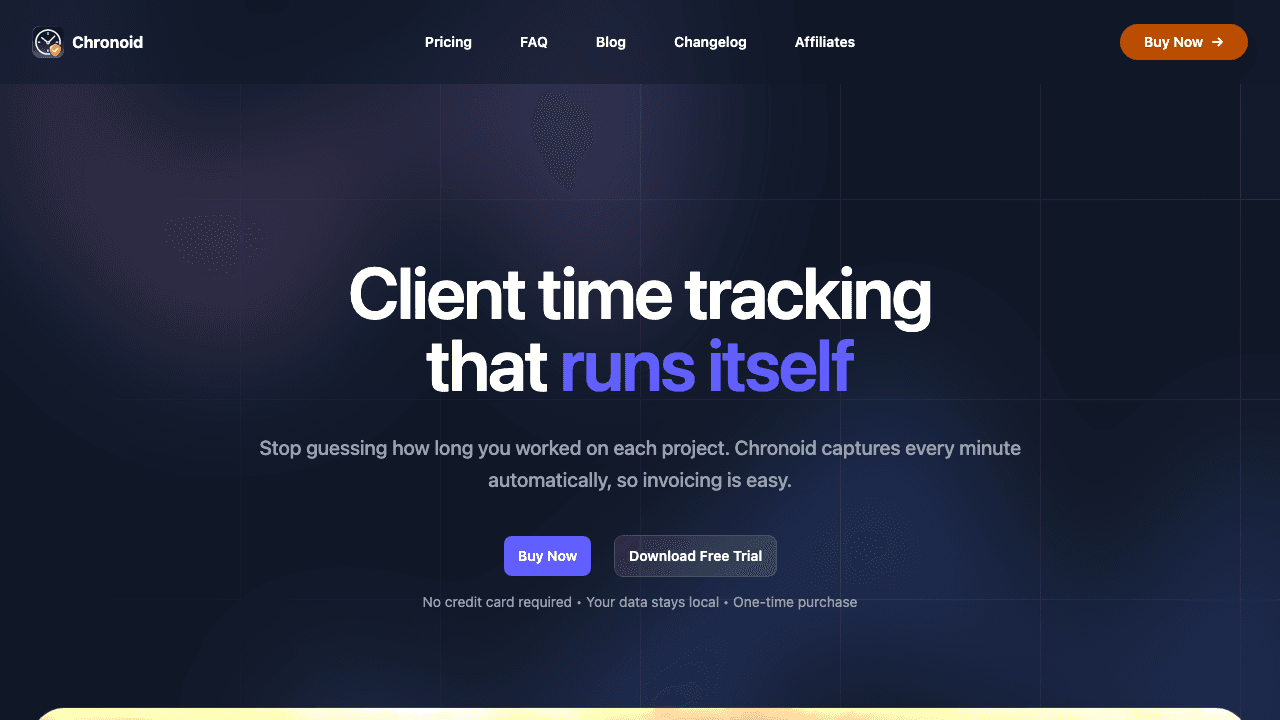
Chronoid is purpose-built for macOS and stands out as the most complete automatic time tracking solution available in 2026. It runs natively on both Intel and Apple Silicon Macs, using minimal system resources while capturing every app, website, and document you work on.
What makes Chronoid different:
- Fully automatic tracking that requires zero manual input. Just install it and let it work.
- On-device AI that categorizes your activity, answers questions about your time ("How many hours did I spend on Client X this week?"), and generates smart summaries.
- Privacy-first architecture. All data stays on your Mac by default. Nothing is uploaded to the cloud unless you choose to.
- One-time purchase pricing with no recurring subscription fees.
- Built-in Pomodoro timer and website blocker for focused work sessions.
Chronoid is ideal for freelancers who need accurate invoicing, developers who want to understand where their coding time goes, and anyone who values privacy. It's the rare app that combines powerful AI analysis with genuine data ownership.
Pricing: One-time purchase. See current pricing.
2. Timing - Strong Automatic Tracking
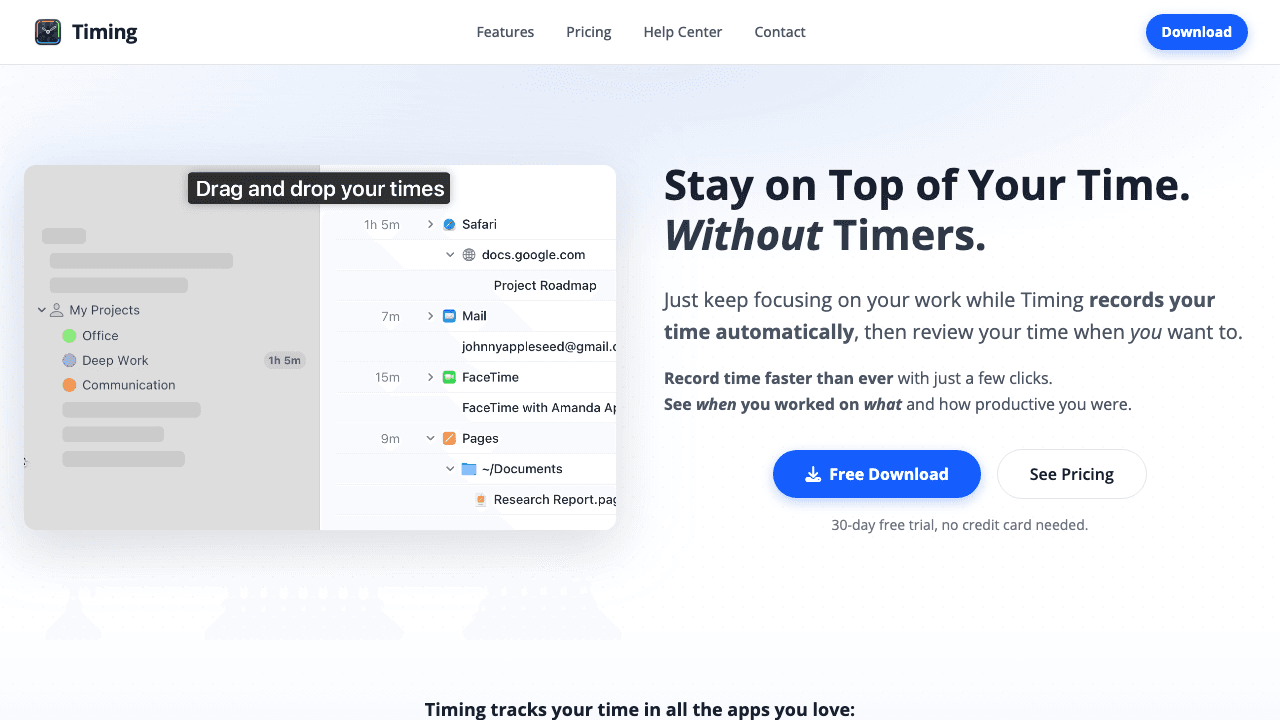
Timing is another well-regarded automatic time tracker for Mac. It records your activity and lets you create rules to categorize time into projects. Timing has been around for years and offers solid reporting features.
Strengths: Mature rule-based categorization, web app for reviewing data on other devices, team features.
Considerations: Requires a monthly or annual subscription. Data is synced through their cloud service, which may be a concern for privacy-conscious users.
Pricing: Starts at $8/month (billed annually).
3. Toggl Track - Best Free Manual Timer
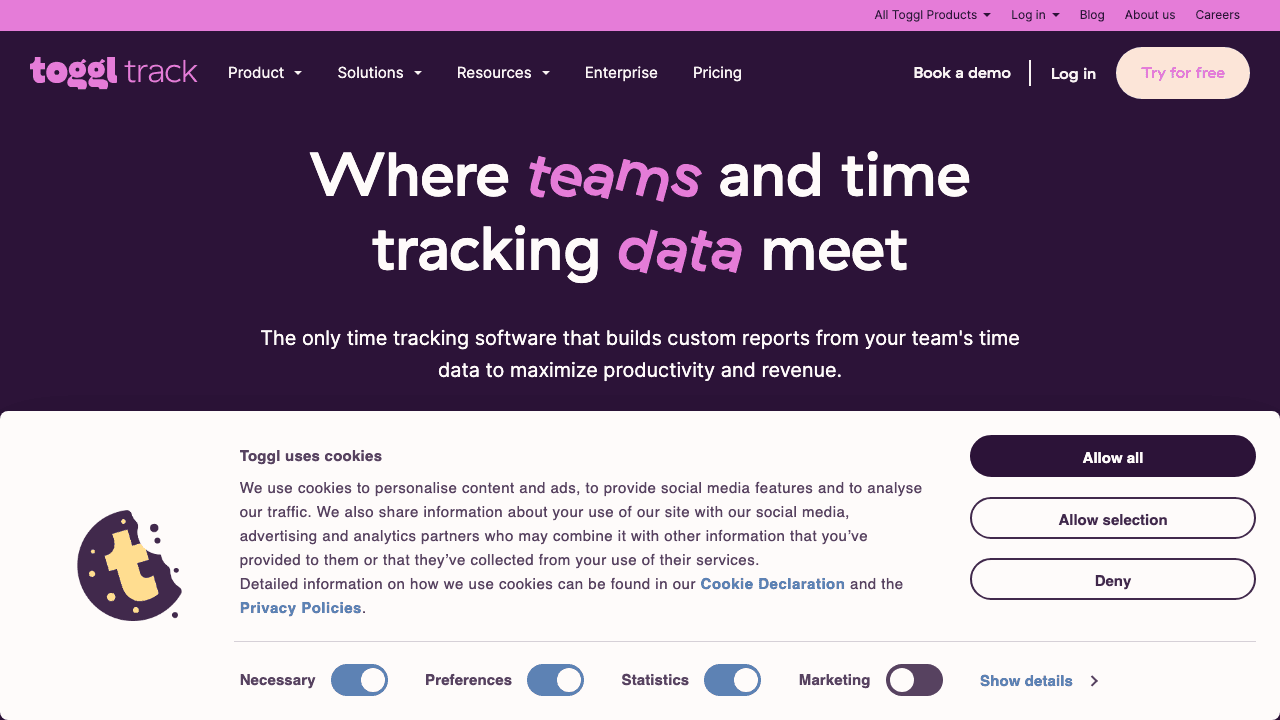
Toggl Track is one of the most popular manual time trackers with a generous free tier. It offers a clean Mac app and integrates with hundreds of other tools. If you prefer starting and stopping timers manually, Toggl is hard to beat.
Strengths: Generous free plan (up to 5 users), excellent integrations, cross-platform support, simple interface.
Considerations: Manual tracking means you have to remember to start and stop timers. Automatic tracking is limited to the paid plans and less sophisticated than dedicated auto-trackers.
Pricing: Free for up to 5 users. Paid plans start at $9/user/month.
4. Clockify - Best for Teams on a Budget
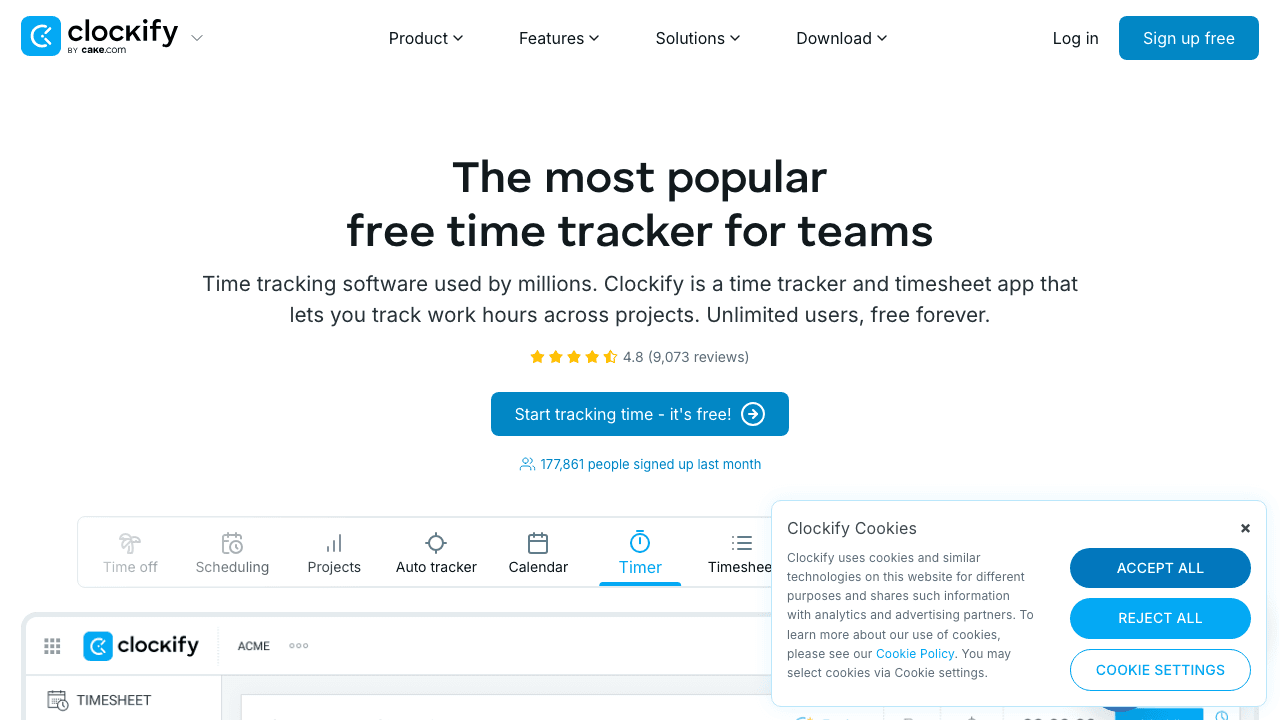
Clockify offers a completely free time tracking tier with unlimited users, making it a popular choice for teams. It includes timesheets, reporting, and project management features.
Strengths: Free for unlimited users, comprehensive team features (scheduling, invoicing, approvals), available on every platform.
Considerations: The Mac app is a web wrapper rather than a native application, so it doesn't feel as polished as native alternatives. Automatic tracking is a paid add-on.
Pricing: Free tier available. Paid plans start at $3.99/user/month.
5. Harvest - Best for Invoicing and Billing
Harvest is a well-established time tracking and invoicing tool that's popular with agencies and consultancies. It connects time tracking directly to invoicing and payments.
Strengths: Built-in invoicing and payment collection, strong integrations with project management tools, team-friendly.
Considerations: No automatic tracking. Monthly subscription pricing. The Mac app is functional but basic.
Pricing: Free for 1 user/2 projects. Pro plan at $10.80/user/month.
Quick Comparison
| App | Tracking Type | Privacy | Pricing Model | Best For |
|---|---|---|---|---|
| Chronoid | Automatic + AI | On-device (local) | One-time purchase | Freelancers, privacy-focused users |
| Timing | Automatic | Cloud sync | Subscription | Mac power users, teams |
| Toggl Track | Manual | Cloud | Freemium | Individuals, small teams |
| Clockify | Manual | Cloud | Freemium | Large teams on a budget |
| Harvest | Manual | Cloud | Subscription | Agencies, invoicing-heavy workflows |
What Makes a Great Mac Time Tracking App?
Not all time tracking apps are created equal, especially for those of us who live and breathe the Mac ecosystem. A truly great app goes way beyond a simple start/stop button. It acts more like a smart assistant, giving you a clear picture of your day without making you do a bunch of extra work. The real magic happens when you move from tedious manual entry to effortless, automated insights.
The absolute cornerstone of any worthwhile app is automatic tracking. Think about it: could you accurately list every single thing you worked on in the last hour? Probably not. Automatic trackers solve this by quietly logging the apps, documents, and websites you use, creating a perfect timeline of your day with zero effort on your part.
This core capability is what leads to some seriously powerful benefits for your daily grind.
As you can see, a solid Mac app is all about helping you sharpen your focus, make smarter decisions based on real data, and finally get a handle on your schedule.
Core Features You Can't Live Without
Just logging hours isn't enough; the best apps help you make sense of all that data. This is where project and task categorization comes in. For instance, a designer could set up a rule that automatically assigns any time spent in Figma to "Client A" and any activity in Slack to "Internal Comms." Simple, but incredibly powerful.
Here are the non-negotiable features you should be looking for:
- Automatic Activity Logging: The app should capture your digital footprint—every app, website, and document—without you ever needing to hit a button. This is the foundation of accurate, hands-off tracking.
- Smart Project & Task Tagging: You need the power to create custom projects and set up rules. This lets the app automatically assign your time to the right client or task, saving you hours of manual cleanup later.
- Billable vs. Non-Billable Hours: This is a must-have for any freelancer or agency. A good app lets you easily mark time as billable, unbilled, or paid, turning your activity log into a report that's ready for invoicing.
- Clear Reporting & Analytics: Raw data is just noise. Look for an app that presents your time in clear, visual reports. It should show you exactly where your time goes, identify your most productive hours, and even point out what's distracting you.
Advanced Features for Power Users
Once you have the basics covered, a few advanced features can take your productivity to the next level. Let's look at the difference between what's standard and what's designed for more demanding workflows.
Essential vs. Advanced App Feature Comparison
| Feature Type | Description | Ideal For |
|---|---|---|
| Essential: Automatic Tracking | Passively records all activity (apps, websites, documents) in the background without manual input. | Everyone who wants an accurate, effortless record of their day. |
| Advanced: Idle Time Detection | Prompts you after a period of inactivity to ask if you were on a break or working away from the computer. | Professionals who step away for calls, meetings, or offline tasks and need to account for that time. |
| Essential: Project Tagging | Allows you to manually or automatically assign logged time to specific projects or clients. | Freelancers, agencies, and anyone managing multiple workstreams. |
| Advanced: Rule-Based Automation | Creates "if-then" rules to automatically categorize time based on keywords, apps used, or document names. | Power users who want to completely eliminate manual sorting and categorization. |
| Essential: Basic Reporting | Provides simple charts and summaries showing how time was spent across projects. | Individuals looking for a general overview of their productivity. |
| Advanced: Team & Productivity Analytics | Offers detailed team-level reports, productivity scoring, and analysis of focus vs. distraction time. | Managers, team leads, and businesses focused on optimizing team performance. |
| Advanced: AI-Powered Insights | Uses on-device AI to automatically categorize activities, answer questions about your time, and generate summaries. | Professionals who want intelligent analysis without sacrificing privacy. |
| Advanced: Integrations | Connects with other tools like project management software (Jira, Asana) or accounting apps. | Professionals who need to sync time data across their entire tech stack. |
The goal is to find a tool that doesn't just record time, but gives it context. A great app should tell a story about your workday, revealing patterns and habits you'd never notice on your own.
To see how these features play out in the real world, check out our guide on the best automatic time tracking apps for Mac. The right tool gives you the data to make confident decisions, whether you're sending an invoice, scoping a new project, or just trying to build a better workday.
How Different Professionals Win with Time Tracking
Time tracking isn't a one-size-fits-all solution. Think of it less like a rigid stopwatch and more like a smart assistant that adapts to your specific needs. For a freelancer, it's about proving your worth. For a developer, it's about making better estimates. For a student, it's about winning the war against distraction.
A great mac time tracking app becomes a silent partner in your work, turning raw data about your day into a real, tangible advantage. The way a graphic designer uses that data is worlds apart from how a student or a coder would. Let's dive into a few real-world examples to see how this actually works.

Freelancers and Consultants Build Trust
If you're an independent professional, your time is literally your product. The biggest headache? Creating transparent, ironclad invoices that clients pay without a second thought. Trying to log hours manually is a recipe for disaster—you either forget to log time and lose money, or you guess and risk over-billing, which kills trust.
An automatic time tracker like Chronoid completely flips the script. It builds a perfect, undeniable record of every minute you pour into a client's project.
- Scenario: A freelance writer is juggling three different clients. Chronoid quietly logs everything—time spent writing in Google Docs for "Client A," time spent researching in Safari for "Client B," and so on.
- The Win: Come invoice day, they can pull a detailed report showing precisely how many hours went into each draft and every revision. This level of transparency shuts down any potential disputes and builds a rock-solid, professional relationship. You're not just sending a bill; you're showing proof of value.
When you provide clear, data-backed invoices, the conversation shifts. Clients stop questioning your hours and start appreciating the results. It just makes your whole business feel more professional.
Software Developers and Engineering Teams
In the software world, everything hinges on estimating timelines and managing sprints effectively. We've all been victims of "scope creep," where a seemingly simple task balloons into a week-long ordeal, derailing the entire project. Developers need to know where their time actually goes, right down to the specific bug fix or feature branch.
A good tracking tool delivers the granular data needed to sharpen those estimates. By automatically logging time spent in code editors, terminal windows, or project management tools like Jira, developers get a crystal-clear map of their workflow.
- Scenario: A developer estimates a new feature will take 15 hours. After tracking the work, they see the task actually took 22 hours, with a huge chunk of that time spent wrestling with an unexpected API issue.
- The Win: That data is gold for the next sprint planning session. The team can now build more realistic timelines, budget extra time for debugging, and give stakeholders more accurate ETAs. It's all about spotting the bottlenecks and making the whole development cycle smoother.
Students and Knowledge Workers Conquer Procrastination
For students and anyone doing deep, focused work, the real enemy is distraction. You might block out three hours to study, but that time can get chopped up by social media notifications, random emails, and the siren song of YouTube. The goal here isn't about billing—it's about focus.
A mac time tracking app acts like an honest mirror. It shows you exactly where your time went, separating the truly focused work from the aimless browsing.
- Scenario: A university student is cramming for finals. They use a time tracker and discover that nearly 40% of their dedicated "study time" is actually spent scrolling through social media.
- The Win: Now they know. Armed with this insight, they can use the app's focus tools to block distracting websites during their study blocks. They learn how to structure their day for deep work, transforming fragmented, half-productive hours into genuine progress. The result? Better grades and a lot less stress.
How to Choose the Right Mac Time Tracking App
With so many time trackers out there, finding the right one can feel like a job in itself. The secret is to cut through the marketing noise and focus on what really matters. You need a tool that actually helps you, not one that adds another layer of complexity to your day.
Think of it this way: the perfect app should be like a silent assistant, working alongside you. If the interface is clunky or confusing, you'll dread using it, and eventually, you just... won't. That's why you should always put a clean, intuitive design—one that feels like it belongs on a Mac—at the top of your list.
Evaluate Core Functionality and Integrations
Looks aren't everything, of course. The app has to play nicely with the other tools you rely on daily. If your entire team collaborates in Asana, Slack, or Jira, you absolutely need a time tracker that plugs right into them. This creates a smooth workflow, saving you from the soul-crushing task of manually transferring your hours from one platform to another.
Don't forget to do your homework on the app's privacy policy. It's a big deal. Where is your activity data being sent? Who can see it? A truly privacy-focused app like Chronoid stores your data locally on your device by default, putting you in complete control. In 2026, with growing awareness around data privacy, this is more important than ever.
The best app is one that adapts to your workflow, not the other way around. Look for a tool that feels like a natural extension of how you already work, providing insights without creating extra administrative burdens.
Use Free Trials Strategically
Almost every solid app offers a free trial, and you should treat it like a test drive. Don't just install it and let it run in the background. Use that trial period to really put the software through its paces with your actual, day-to-day work.
Here's a quick checklist to guide you during your trial:
- Ease of Setup: How long does it take to get up and running? Can you configure your projects in minutes?
- Accuracy of Tracking: Does the automatic tracking actually capture what you're doing, or are you constantly making manual corrections?
- Report Clarity: Can you easily pull reports that give you genuinely useful insights?
- System Performance: Does the app hog your Mac's resources or kill your battery life?
For an even deeper dive, take a look at our comprehensive time management software comparison to see how different tools measure up. A little bit of research now will pay off massively in the long run, landing you a tool that genuinely boosts your productivity for years.
Getting Started and Building Good Habits
Look, a new tool is only as good as the habits you build around it. Installing a mac time tracking app is the easy part. The real magic happens when you weave it into your daily routine, so it works for you without feeling like another chore.
The first thing to do is get it installed and take a quick look around. Don't get bogged down trying to master every single feature right away. Just focus on the basics. Create your first few projects—think of them as digital buckets for your time. If you're a freelancer, this might be "Client A - Web Design" or "Internal - Marketing."
Your First Week Action Plan
With your basic projects set up, treat your first week as a pure observation period. Your only job is to let the app run in the background and gather data. This first batch of information is pure gold because it gives you an unfiltered look at where your time is actually going.
Here are three simple things to do in your first seven days:
- Set Up One Automation Rule: Pick a task you do all the time and tell the app how to handle it. For example, you could create a rule that automatically logs any time spent in Xcode to your "Software Development" project.
- Schedule a 5-Minute Daily Review: At the end of each day, just open your reports. Don't analyze, don't judge—just look. Seeing the patterns is the first step to changing them.
- Make One Manual Correction: If you see the app put something in the wrong bucket, fix it. This not only trains the software but also reinforces your own awareness of how you're spending your day.
This first week isn't about radically changing your work habits. It's about getting comfortable with the tool and starting to trust the data it shows you.
The biggest breakthroughs in productivity don't come from massive, overnight changes. They come from small, consistent habits that build on each other. The goal is to make checking your time data as routine as checking your email.
Think of it like getting a new fitness tracker. You don't strap it on and immediately try to run a marathon. You just wear it, see how many steps you take, and notice your daily patterns. It's the exact same idea here. Let the app do its thing, and just focus on that quick daily check-in. That consistency is what turns raw data into a genuine advantage for your focus and productivity.
Why Chronoid Is the Best Choice in 2026
Apps like Chronoid are leading the next generation of time tracking. They use on-device AI to automatically sift through your activity and make sense of it. Instead of leaving you with a messy log of every app and window, the software intelligently groups your work, giving you a crystal-clear picture of your focus and productivity.
It's less about logging time and more about understanding your own work habits.
This new breed of mac time tracking app doesn't just deliver powerful insights; it does so while putting your privacy first.
Privacy-First On-Device Intelligence
Here's where Chronoid really stands apart: its approach to privacy. Many cloud-based apps need you to send all your activity data—every website visited, every document opened—to their servers just to analyze it. That means your sensitive information leaves your Mac and is no longer under your control.
Chronoid flips that model on its head by doing all the heavy lifting right on your machine.
Your data stays on your device by default. This on-device approach ensures you get all the benefits of intelligent analysis without ever having to upload your private activity logs to the cloud.
This gives you total ownership of your information. You can ask your data direct questions like, "What were my biggest distractions this week?" and get an instant, secure answer without anything leaving your computer. You can learn more about Chronoid's on-device AI assistant and its capabilities. It's a huge step forward, offering both powerful analysis and genuine peace of mind.
One-Time Purchase, No Subscription
Unlike most competitors that charge monthly or annual fees, Chronoid is available as a one-time purchase. For professionals who plan to track their time long-term, this means significant savings compared to subscription-based alternatives that can cost $100 or more per year. Check out Chronoid's pricing to see the current options.
Frequently Asked Questions
Even with all the info, you might still have a few lingering questions about how these Mac time-tracking apps actually feel to use day-to-day. Let's get into some of the most common ones.
Will This Thing Slow Down My Mac?
It's a fair question. The last thing you want is a productivity tool that grinds your Mac to a halt. Thankfully, most well-made, modern time trackers are designed to be incredibly lightweight.
They're built to run quietly in the background, using a tiny fraction of your Mac's CPU and memory. You honestly shouldn't even notice it's there. Chronoid, for example, is built as a native macOS app optimized for both Intel and Apple Silicon, so it uses minimal resources. A great way to test this is to keep an eye on your system performance during the free trial period. If you feel any lag or see your battery draining faster than usual, it's probably not the app for you.
Manual vs. Automatic Tracking: Which Is Better?
This really comes down to your personal style and how you work. There's no single right answer.
- Manual Tracking: Think of this like a classic stopwatch. You have to hit "start" and "stop" for every single task. This gives you total control, but it also means you have to remember to do it. It's easy to forget and lose track of chunks of your day. Apps like Toggl and Clockify excel here.
- Automatic Tracking: This approach is more like a silent assistant that logs everything you do in the background. It captures a complete, unfiltered picture of your day, but you'll need to spend a few minutes reviewing and assigning activities to the right projects. Chronoid and Timing are the leaders in this category.
The best apps often give you a hybrid option. They'll track automatically but still let you fire up a manual timer whenever you need one. This gives you a great safety net with the option for focused control.
How Does AI Actually Help with Time Tracking?
This is where things get interesting. AI takes a simple log of your activity and turns it into something genuinely useful. Instead of just giving you a long list of apps and websites you visited, AI can be smart about it.
It can automatically group activities into categories (like "Coding," "Writing," or "Meetings"), spot your most productive hours, and even give you a simple summary of your day. Chronoid's on-device AI goes a step further by letting you ask natural language questions about your time data—all processed locally on your Mac for complete privacy.
Is a One-Time Purchase Better Than a Subscription?
For individual users and freelancers, a one-time purchase like Chronoid often makes more sense financially. Subscription tools can cost $100 to $200+ per year, which adds up quickly. A one-time purchase gives you the same features without the ongoing cost. However, subscription tools sometimes include cloud storage and team management features that may be worth the recurring fee for larger organizations.
Ready to stop guessing where your time goes and start making it work for you? Chronoid offers automatic, privacy-first time tracking with smart AI insights, built just for the Mac. Download your free trial today and get a clear picture of your productivity.